AI is no longer reserved for big brands or developers. Today, any Vinted seller can automate their photos, descriptions and even pricing in a few minutes. I've tested everything out there — here are the 5 tools that are genuinely worth it, and one that completely changed my game. 🤖
Why AI Has Become Essential on Vinted
When I started selling on Vinted, I easily spent 30 minutes per item: finding an angle, photographing, retouching, writing the description, setting the price. Result? I'd procrastinate for weeks before publishing. Since integrating a few AI tools into my workflow, that time dropped to under 5 minutes per item. And my sales followed.
The real question isn't "can AI help me?" but "which tool to choose among all of them?". That's exactly what I explain here, no fluff.
1. VintyLook — Realistic Worn Photos in 2 Minutes ⭐
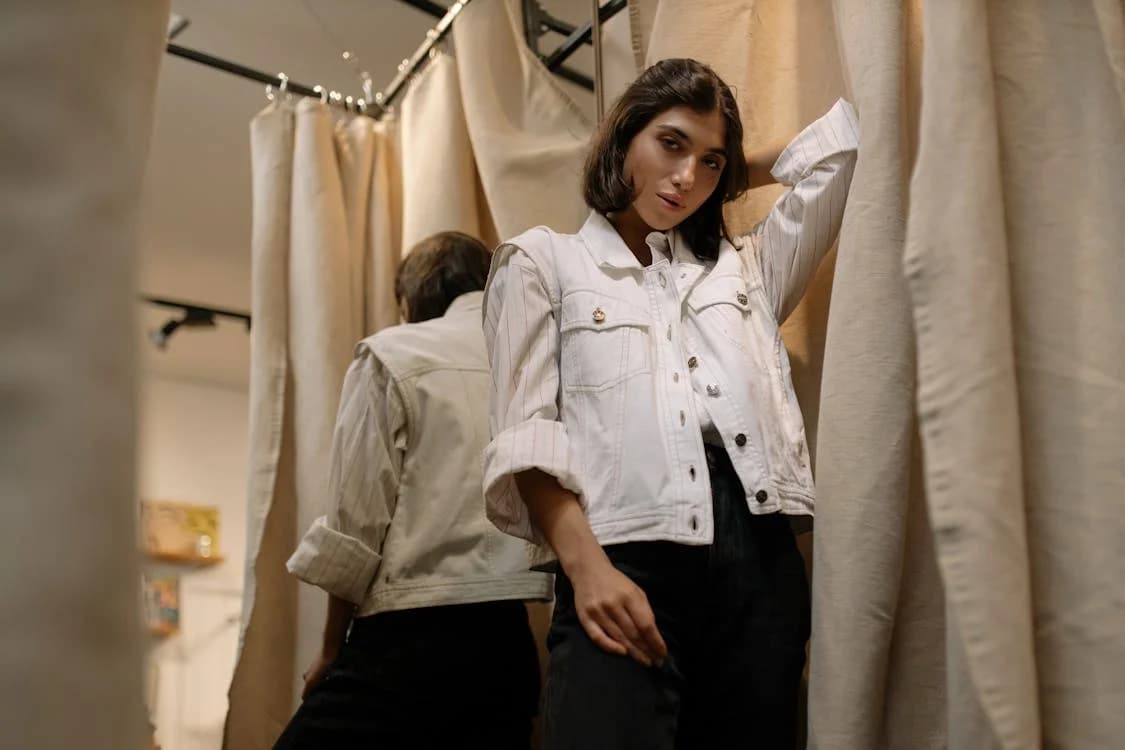
This is the tool that surprised me most, and by far the one with the biggest impact on my sales. VintyLook takes your flat-lay photo (or even a Vinted link) and automatically generates a realistic worn image on a virtual model — no shooting, no model, no Photoshop.
Why it's a game-changer: a worn photo generates significantly more clicks than a flat-lay. The buyer visualizes themselves wearing it, hesitates less, and buys faster. I relisted items that had been stagnating for weeks just by changing the main photo with VintyLook — they sold within 48 hours.
Pricing: from €3.49 for 10 credits (one credit = one worn photo). Free trial at signup.
Ideal for: all types of clothing, especially vintage pieces where the drape is hard to guess from a flat-lay photo.
2. ChatGPT — Optimized Descriptions in 30 Seconds
Writing a good Vinted description is an art. Size, material, condition, storytelling, keywords… many sellers rush this step. ChatGPT (free in its basic version) generates complete, punchy descriptions by just giving it the basic info about your item.
My favourite prompt:
"Write a Vinted description for a [type of clothing], brand [X], size [Y], condition [Z]. Conversational tone, 5 lines max, with relevant keywords."
Heads up: always proofread and personalise — buyers spot overly generic texts. But the time saving is real.
3. Remove.bg — White Background in 5 Seconds
A cluttered or coloured background kills the impact of a Vinted photo. Remove.bg removes the background from any photo in one click and replaces it with pure white. Result: a clean, professional presentation that builds buyer trust.
How to use: upload your photo → download the result. That's it. The free version is sufficient for most Vinted use cases.
4. Canva (AI Features) — Visuals for Social Media
If you also sell via TikTok, Instagram or Pinterest to drive traffic to your Vinted listings, Canva is your best ally. With its built-in AI features (background removal, automatic resizing, text generation), you create coherent and eye-catching visuals in 10 minutes.
Pro tip: use Canva's "Product showcase" templates with your VintyLook photos for truly professional results on social media. The combo is unbeatable.
5. Google Lens — Instant AI Pricing
Not always mentioned in Vinted guides, yet incredibly effective. Photograph your item → search via Google Lens → you immediately see similar listings with their prices from across the internet. Not generative AI, but artificial intelligence that gives you a market benchmark in seconds.
How to use: Google app → Lens icon → photograph your item → "Shopping" tab. You instantly know what competitors are charging for the same thing, avoiding both undervaluing and overpricing.
The Winning Combo: My Workflow in Under 10 Minutes
| Step | Tool | Time |
|---|---|---|
| Flat-lay photo | Smartphone | 2 min |
| Worn photo | VintyLook | 2 min |
| White background if needed | Remove.bg | 1 min |
| Description | ChatGPT | 1 min |
| Price check | Google Lens | 1 min |
| Publish | Vinted | 3 min |
Total: under 10 minutes per listing. Versus 30-45 minutes without AI. And items that sell significantly faster.
AI doesn't replace your eye as a seller — it amplifies your efficiency. The real competitive advantage is using it now, while most Vinted sellers haven't made the switch yet. 🚀
Frequently Asked Questions
Is VintyLook compatible with all types of clothing?
Yes — VintyLook works with tops, bottoms, dresses, jackets, coats and some accessories. Results are particularly impressive on pieces with a distinctive drape or vintage cut.
Do I need a ChatGPT subscription?
The free version is sufficient for writing Vinted descriptions. The paid version delivers better results but isn't necessary to get started.
Is Remove.bg really free?
Yes, with a resolution limitation on free downloads. For Vinted photos, the free quality is generally more than adequate.